Every language,
one draw call.
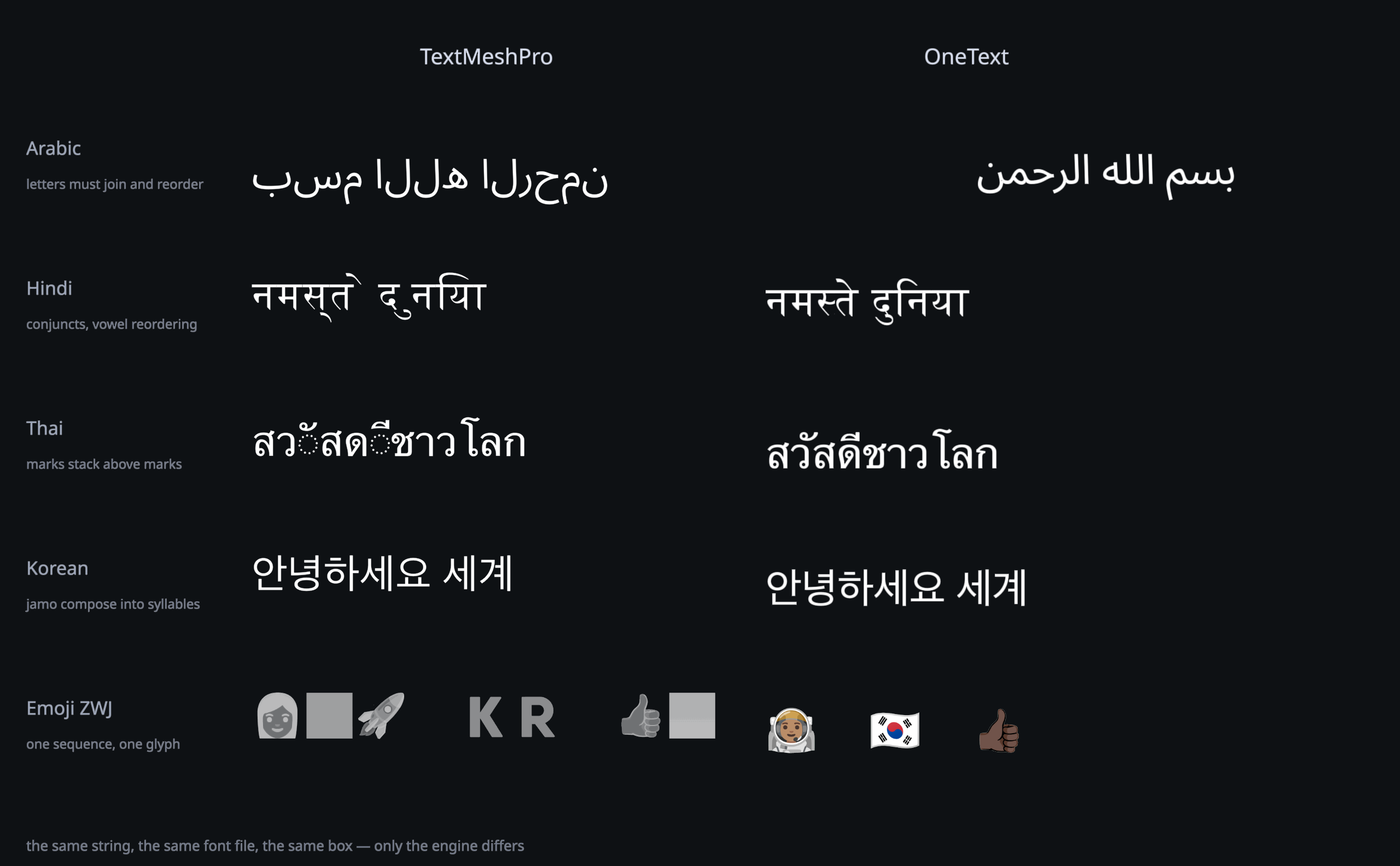
Thai stacks. Arabic joins. Emoji stay whole.
A text engine for Unity uGUI that gets every script right, in a
single draw call.
Free and open source.
Because correct text shouldn't cost extra.
Your engine speaks English.
Your players don't.
performance
Fast where it hurts.
Anyone can win the benchmark they chose. So here are all of them: medians, tails, draw calls, and the runs we lose.5 The medians are mostly a tie. But a player never feels the median. A player feels the frame that arrives late.
| global ui · 60 labels, language switch | OneText | TMP dynamic | |
|---|---|---|---|
| median | 0.446 ms | 0.454 ms | tie |
| p99 | 1.385 ms | 14.438 ms | 10× |
| worst frame | 6.875 ms | 351.800 ms | 51× |
| draw calls | 1 | 5 | 5× |
| chat stream · 30 lines, CJK churn | OneText | TMP dynamic | TMP static2 |
|---|---|---|---|
| median | 0.216 ms | 0.658 ms | 0.091 ms |
| p99 | 0.480 ms | 10.003 ms | 0.126 ms |
| worst frame | 0.599 ms | 12.325 ms | 0.182 ms |
| draw calls | 1 | 6 | 2 |
| characters it can draw | 100 % | 100 % | 60 % |
| world-space · 200 labels, 50 retexted per frame3 | OneText | TMP dynamic | |
|---|---|---|---|
| median | 0.630 ms | 0.632 ms | tie |
| p99 | 0.814 ms | 0.759 ms | −7 % |
| worst frame | 0.933 ms | 0.850 ms | −10 % |
| draw calls | 1 | 3 | 3× |
| unseen glyphs · 5 labels/frame, none prebakeable | OneText | TMP dynamic | |
|---|---|---|---|
| median | 1.032 ms | 12.380 ms | 12× |
| p99 | 1.598 ms | 36.146 ms | 23× |
| worst frame | 4.036 ms | 43.836 ms | 11× |
| draw calls | 1 | 8 | 8× |
| … and at 50 labels/frame4 | OneText | TMP dynamic | |
|---|---|---|---|
| median | 11.419 ms | 4.384 ms | −62 % |
| p99 | 15.142 ms | 191.701 ms | 13× |
| worst frame | 16.736 ms | 254.569 ms | 15× |
| draw calls | 1 | 18 | 18× |
| texture memory | 4 MB fixed | 20 MB growing | 5× |
| characters it drew | 100 % | 79 % |
1 The range across the four scenarios: 11× (unseen glyphs) to 51× (a global UI switching language). The scenario with no atlas work, short ASCII labels over a warm atlas, has nothing to win and is a tie on the median, a few per cent behind at the tail. It is published here with the rest.
2 A static atlas, frozen at build time, does no atlas work at all, and cannot draw two characters in five of this corpus. A smaller job, not a faster engine.
3 The scenario built to suit the other engine: nothing to shape, nothing to bake, nothing a correct engine can be correct at. It used to lose by 16 %; it is now a tie on the median.
4 TMP's 62 % median win is bought with thirty-two atlas pages, 20 MB of texture, one character in five undrawn, and 191 ms frames while the atlas grows. OneText holds 4 MB and one draw call; its worst frame is 16.7 ms.
5 Apple M4 Pro, Unity 6000.0.77, Burst compiled ahead of the run,
null graphics device, identical scenes and frame loops; median of 3
repetitions per cell, chosen by p99. Harness, scenarios and raw per-frame
CSVs in Docs/BENCHMARKS.md, losses included, because a
comparison that lists only its wins is an advertisement.
memory
Memory that stops growing.
The 4 MB in the table above is not a starting point. It is the whole budget, and it is the same at the end of the session as at the start. Three things make that true.
- Every glyph is baked at the size it will be drawn A tile is keyed by font and by density bucket, so a 12-point caption and a 48-point heading never share one oversized tile and neither is stretched out of the other. When a canvas is scaled, the real magnification is measured and the tile is baked for that.
- Full means recycled, not stopped The least recently used tiles are evicted, the sheet is compacted, and the meshes that pointed into it rebuild. Nothing is lost for good: a glyph pushed out this frame is back the next. That is what turns a full atlas from a cliff into a cost.
- Fonts travel compressed, and shrink the build with them The
.ttfis Brotli-packed inside the font asset. Nothing is renamed to.bytes, nothing is read from disk at runtime, and the file that ships is the packed one.
* A label with precise on draws through a second,
multi-channel atlas at four bytes a texel. That one is a fixed budget too, and it is
per-label opt-in for exactly this reason. Atlas size and layer count are project settings;
the Hub reports demand rather than occupancy, because an atlas under pressure recycles and
reads 30 % full for ever.
install
Just two steps. No baking.
Add the package. Put a label on a canvas. Type in any language on Earth: no atlas to bake, no charset to declare, nothing to configure first.
// Packages/manifest.json
{
  "dependencies": {
    "com.onetext.core": "https://github.com/CodeOneLabs/OneText.git"
  }
}
// or: Add Component > OneText > Label
var label = go.AddComponent<OneTextLabel>();
label.SetFont(File.ReadAllBytes(path));
label.FontSize = 38;
label.Text = "สวัสดีชาวโลก";
label.SetFont(latin, arabic, thai, emoji);
label.Language = "ja";   // locl: Han unification
label.CjkLatinSpacing = true;
label.PunctuationCompression = true;
label.CharactersPerSecond = 28;
label.RevealGranularity = Syllable;
label.SkipToEnd();      // the mash-to-skip button
label.RestartReveal();
It is all included.
Except the paywall.
in the box
Everything in the box.
One package. Every feature. Nothing sold separately. Somewhere else, this list is a price sheet.
- Shaping & bidi HarfBuzz GSUB/GPOS and the full UAX #9 algorithm. Arabic, Devanagari, Thai, Khmer, Myanmar, Tibetan: contextual forms, reordering, mark stacking
- Rich text & emoji Named styles you edit once and every label follows, inline sprites, colour emoji including ZWJ sequences, flags and skin tones
- Text animation Typewriter by grapheme, orthographic cluster or syllable, per-punctuation pauses for CJK and Thai,
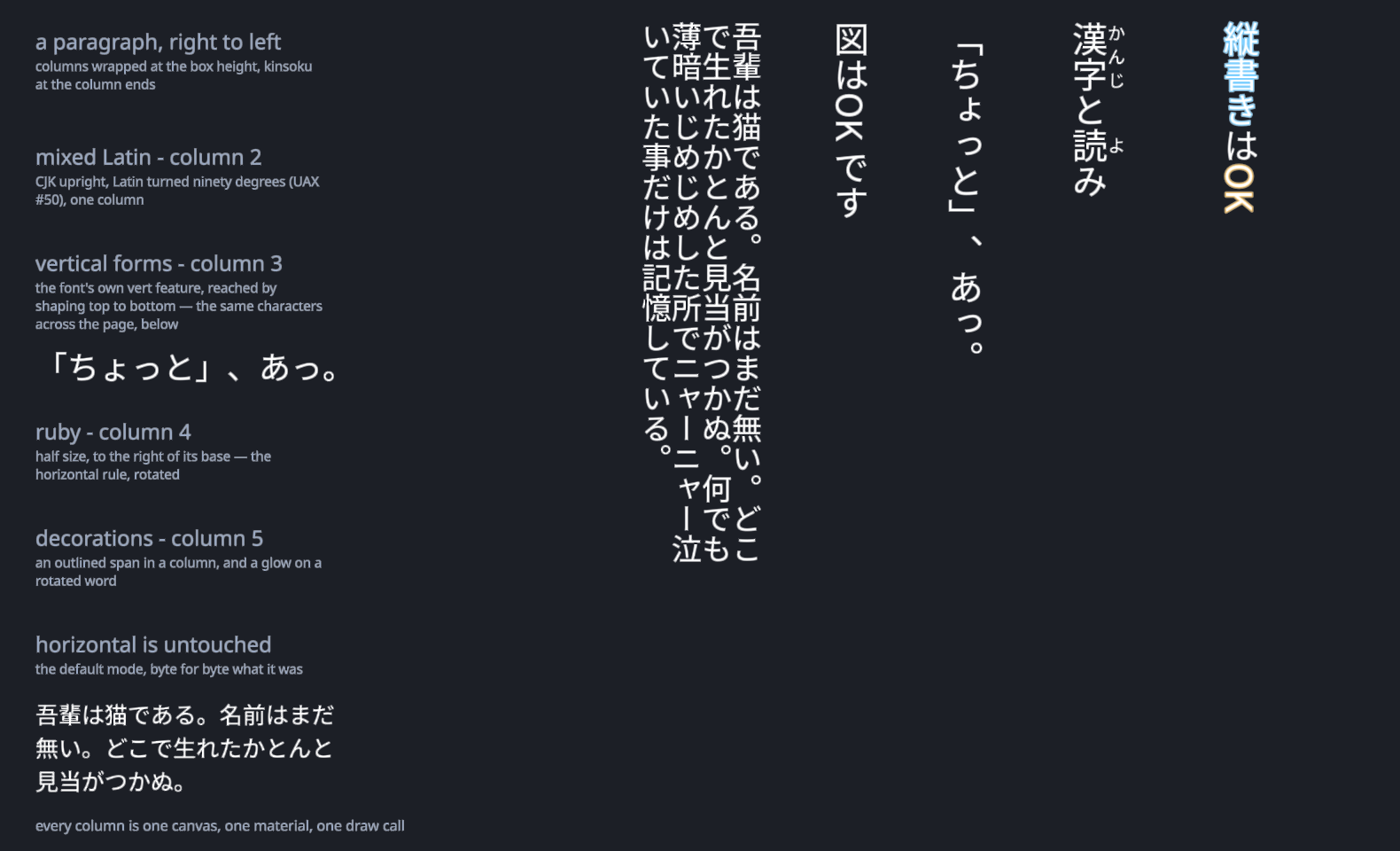
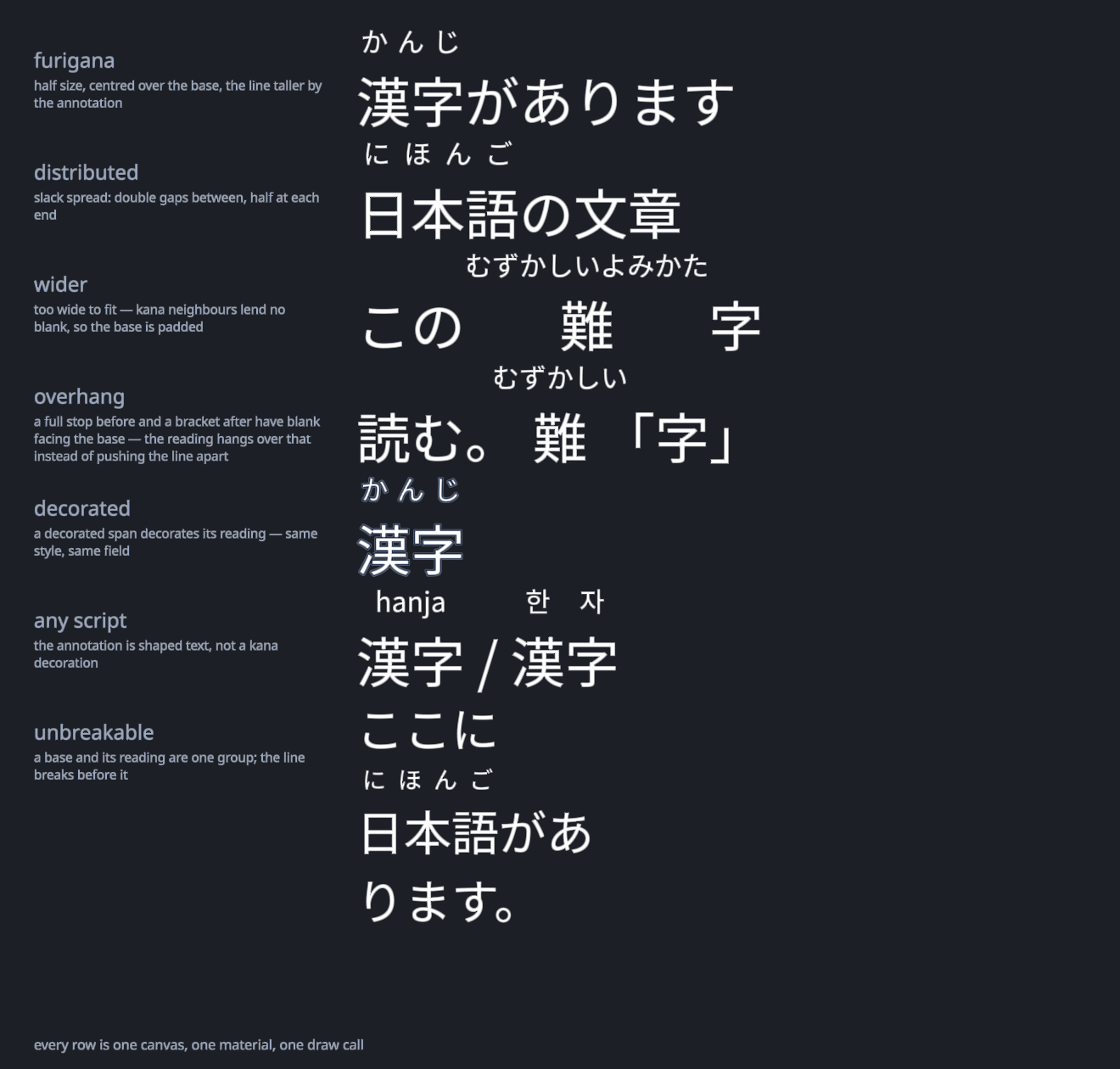
<wait=>, skip, per-unit callback, per-cluster effects and a custom-effect API - Asian typography Kinsoku, punctuation compression, CJK-Latin spacing, Korean word wrap, dictionary line breaking for Thai, Lao, Khmer and Burmese, and a josa tag
- Outline, shadow, glow Packed into vertex channels already paid for, so a decorated label and a plain one still share one material and one draw call
- An input field that survives an IME Inline composition drawn at the caret with a Japanese clause highlight, no syllable lost or doubled on focus change. Input Manager, Input System and the mobile soft keyboard
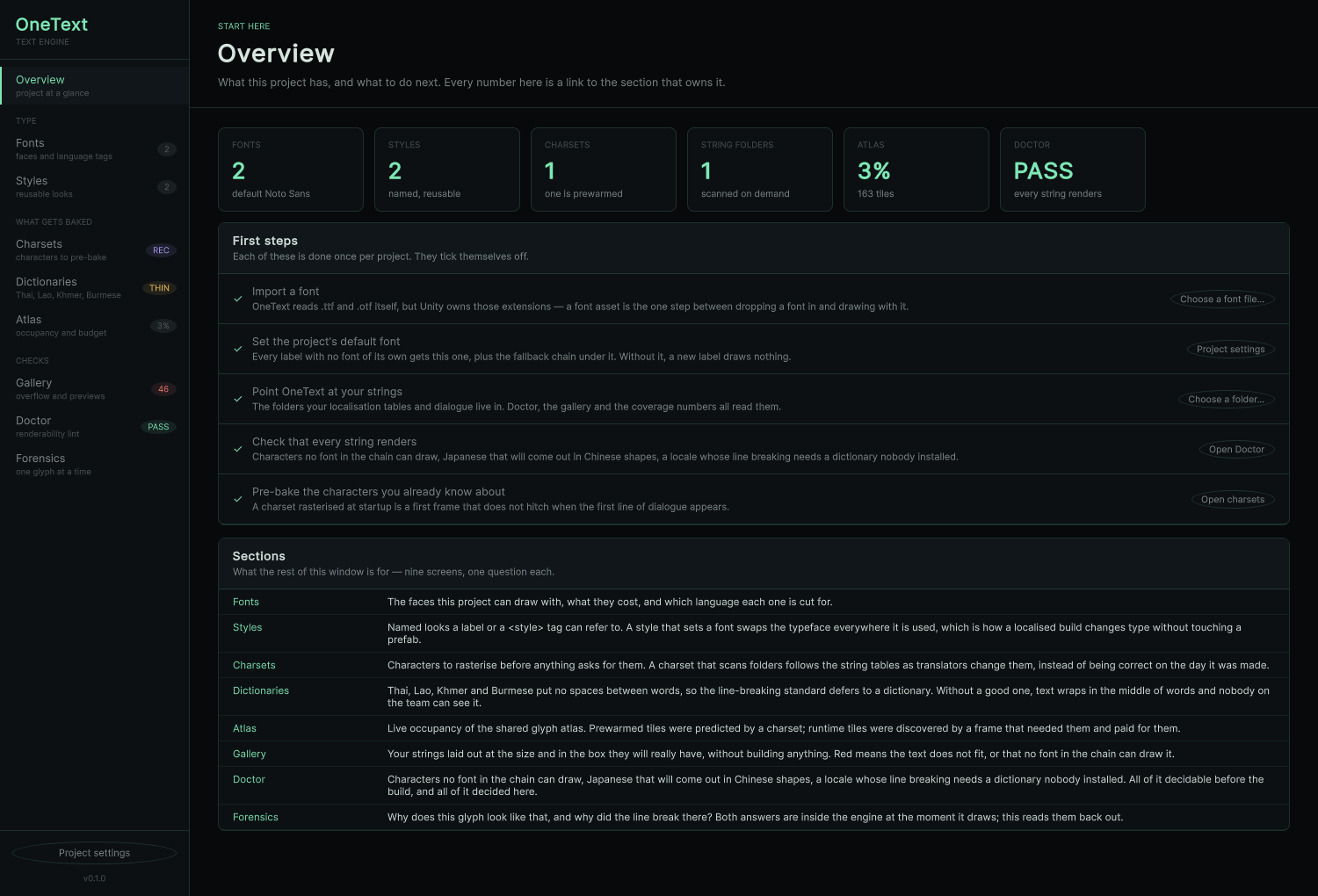
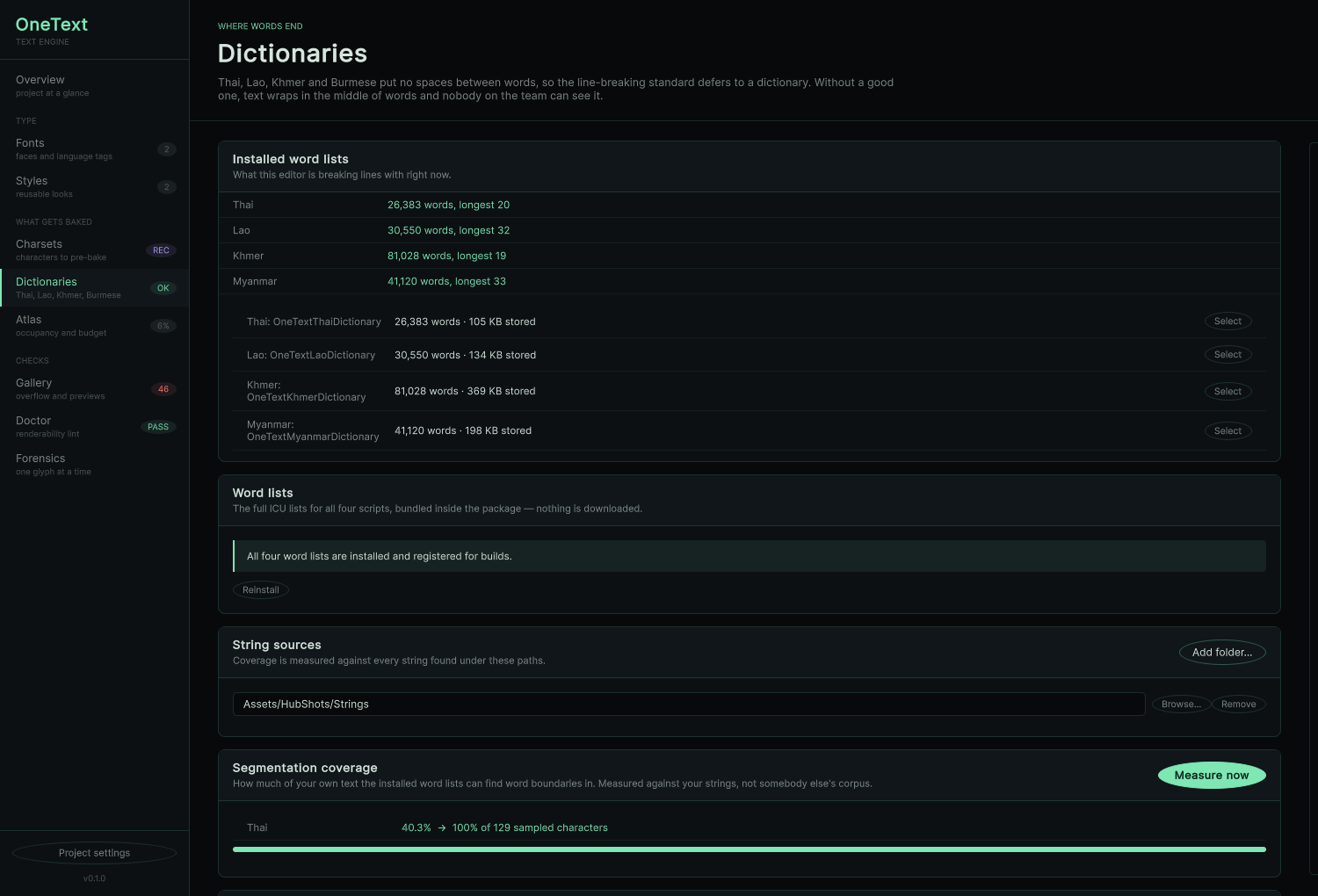
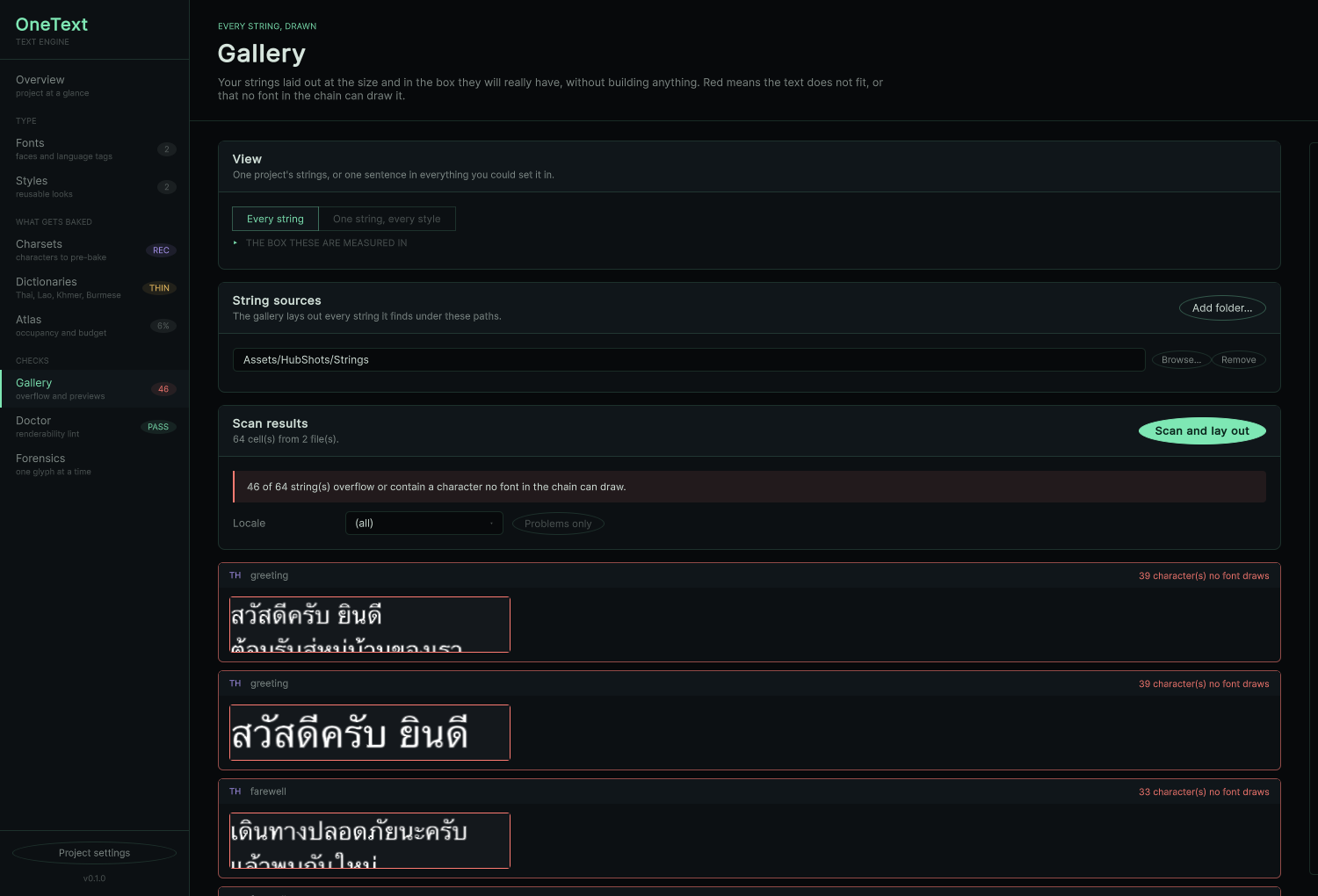
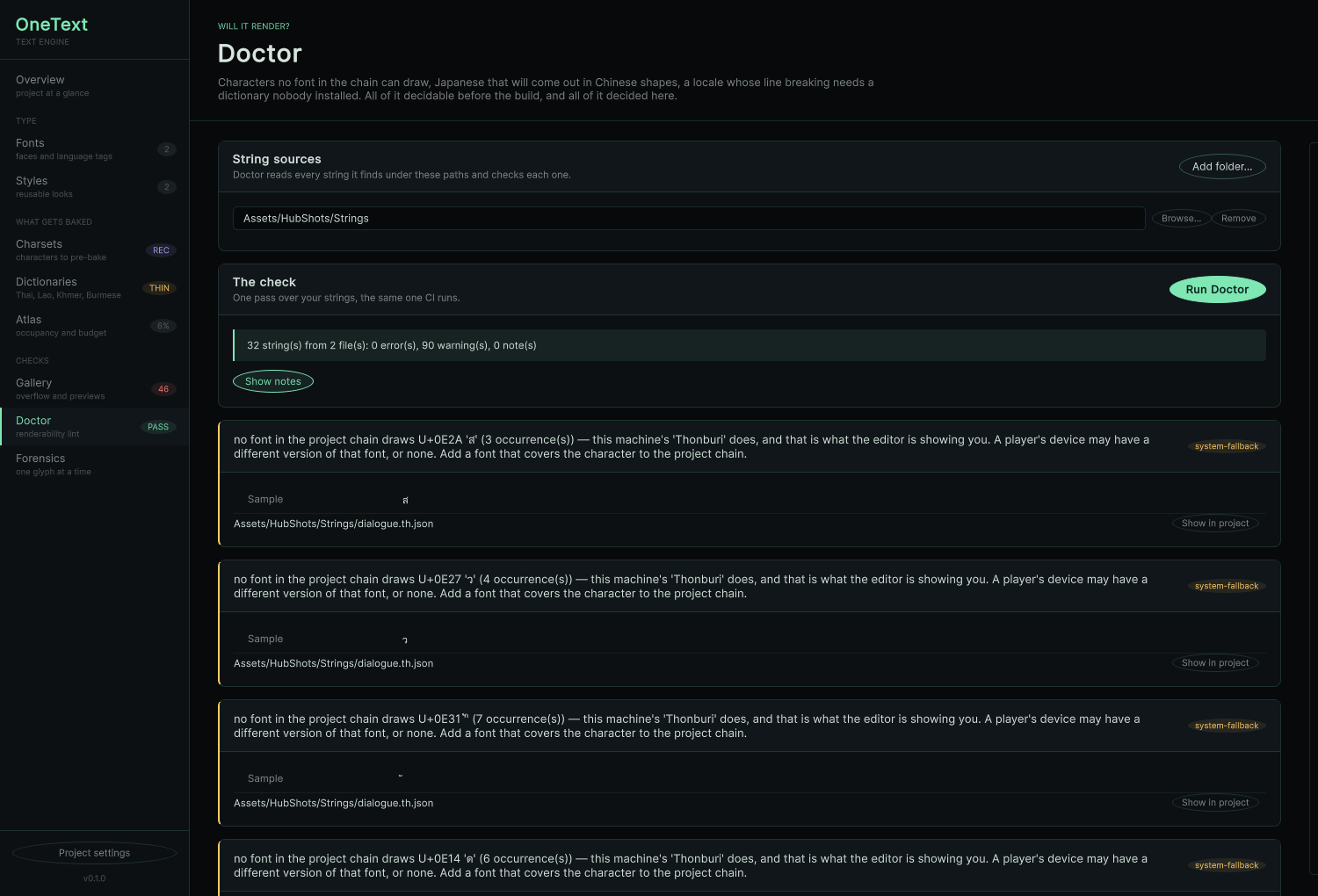
- The Hub Fonts, charsets, dictionary import with before/after coverage, atlas occupancy and budget advice, a string gallery that flags overflow per locale, and Doctor, a renderability lint that exits 1 so CI can fail a merge
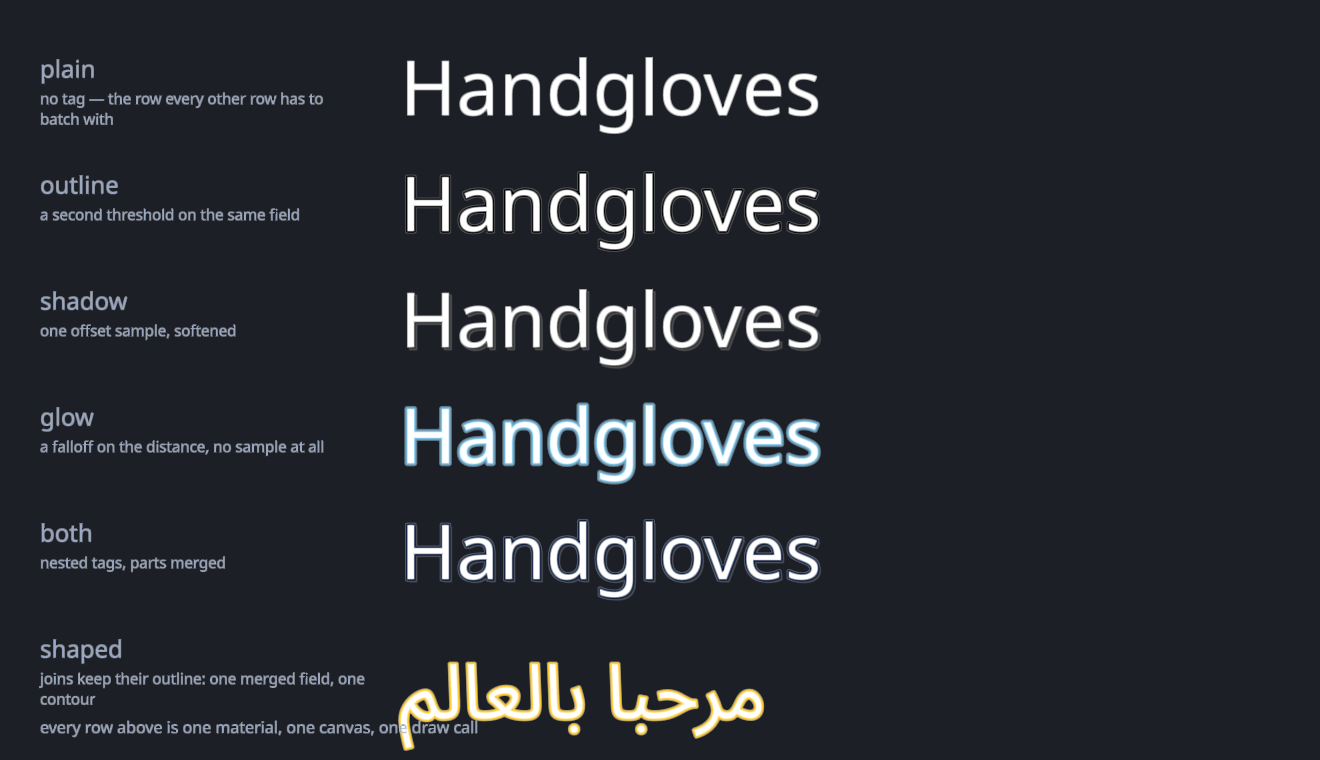
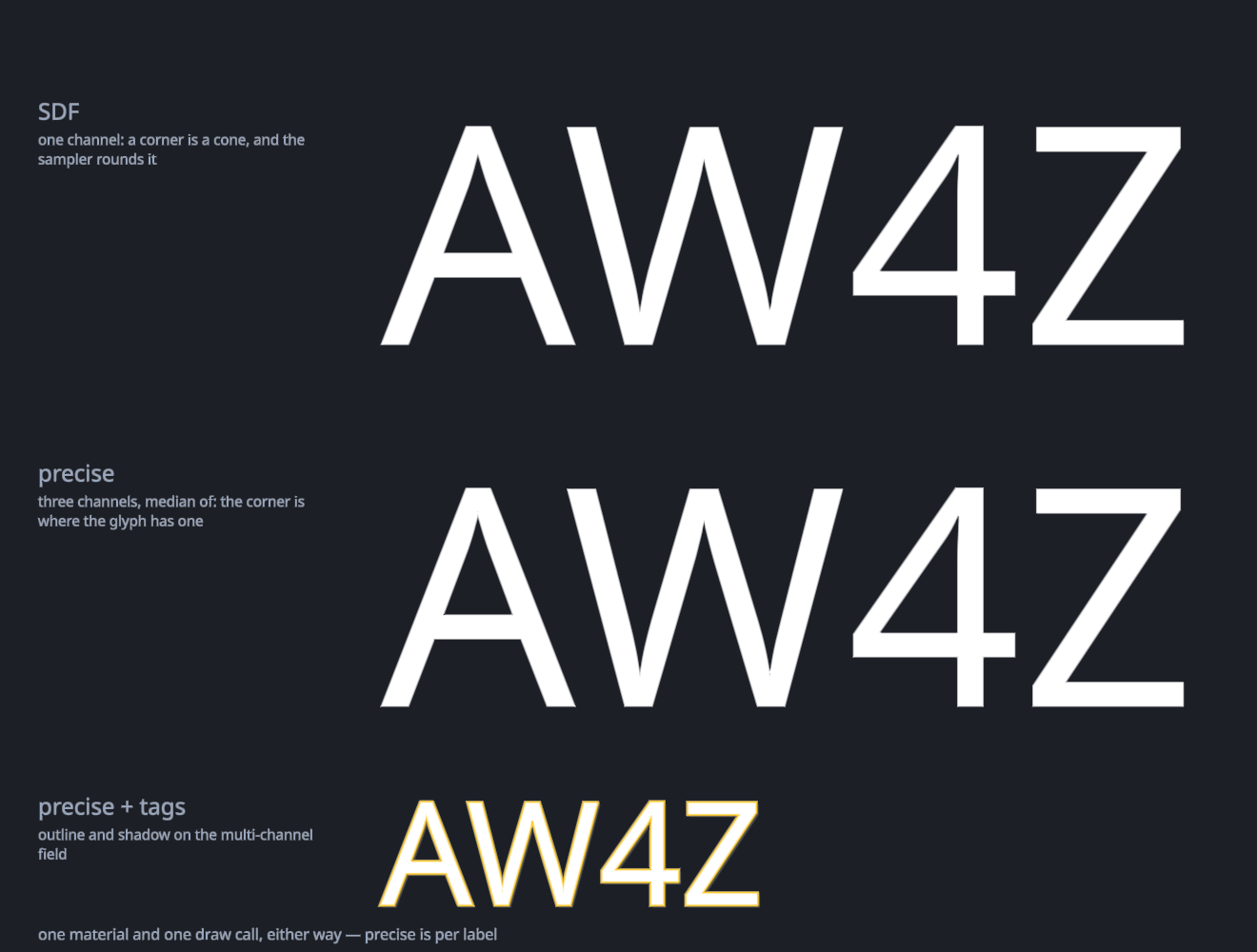
precise option:
multi-channel distance fields keep corners sharp at display sizes, where a
single channel rounds them off. Same material, same draw call: a
precise heading still batches with the paragraph under it.migrate
Switching is the boring part.
It is a MaskableGraphic, so everything you already know just works:
RectTransform, layout groups, ContentSizeFitter,
masks, raycasting. Rename the component, keep your habits.
Boring, on purpose.
| TextMeshPro | OneText | note |
|---|---|---|
TextMeshProUGUI | OneTextLabel | same component slot |
.text | .Text | rename only |
.fontSize | .FontSize | rename only |
.font (baked asset) | .SetFont(bytes, …fallbacks) | no atlas to bake first |
.enableWordWrapping | .Wrap | NoWrap / Wrap |
TMP_InputField | OneTextInputField | composition is handled, not worked around |
| fallback font list per asset | one call, one shared atlas | fallbacks do not split the draw |
888,289 tests.
Zero failures.
correctness
Correctness as a number.
Unicode publishes a test for every algorithm it defines. OneText runs all of them, on every commit: 888,289 cases, zero failures. Correct isn't a claim here. It's a build step.
| suite | standard | cases | result |
|---|---|---|---|
| BidiTest | UAX #9 · by class | 770,241 | PASS |
| BidiCharacterTest | UAX #9 · by character | 91,707 | PASS |
| LineBreakTest | UAX #14 | 19,338 | PASS |
| emoji-test | UTS #51 | 3,781 | PASS |
| WordBreakTest | UAX #29 | 1,944 | PASS |
| GraphemeBreakTest | UAX #29 | 766 | PASS |
| SentenceBreakTest | UAX #29 | 512 | PASS |
| every official suite | no exceptions | 888,289 | PASS |
Then once more, against real fonts: every assigned codepoint in Unicode 17.0.0, shaped, outlined, rasterized and placed. All 159,631 of them.
[coverage] shaped 159,631/159,631 codepoints, 177,400 glyphs, 0 threw; 53 s
[coverage] 155,496 of 159,631 have a glyph in 213 fonts (97.41 %)
[coverage] 155,496 outlines read, 66 blank, 0 malformed
status
It only gets stronger.
Early, and built in the open. What isn't done is listed, not implied.
| area | state |
|---|---|
| Shaping, bidi, segmentation, layout, SDF atlas, uGUI components | done |
| Rich text, colour emoji, animation, Asian typography, decorations, Hub, IME input | done |
| Windows · macOS · Linux · Android · iOS natives | shipped |
| Verified end to end on a real device | macOS only so far |
| Web native (HarfBuzz on wasm), verified in WebGL2 and WebGPU players | shipped |
| Playable browser demo | play it |
| Outline, shadow, glow | done |
| MSDF, sharp corners at large sizes | done |
| Ruby (furigana), vertical writing | done |
| System font fallback, so a missing character is not a box | done |
| Tate-chū-yoko, vertical editing, COLRv1 | unbuilt |
| UI Toolkit frontend, ECS, screen readers | unbuilt |